


The main menu, or the “accordion” menu, is where all the sections are listed. Each section is represented by a horizontal button, which springs open upon pressing to display the contents of the corresponding section page.
We have also created a “hamburger” menu, which is the three-line pulldown menu on the top corner, and lists the direct links to each section page.
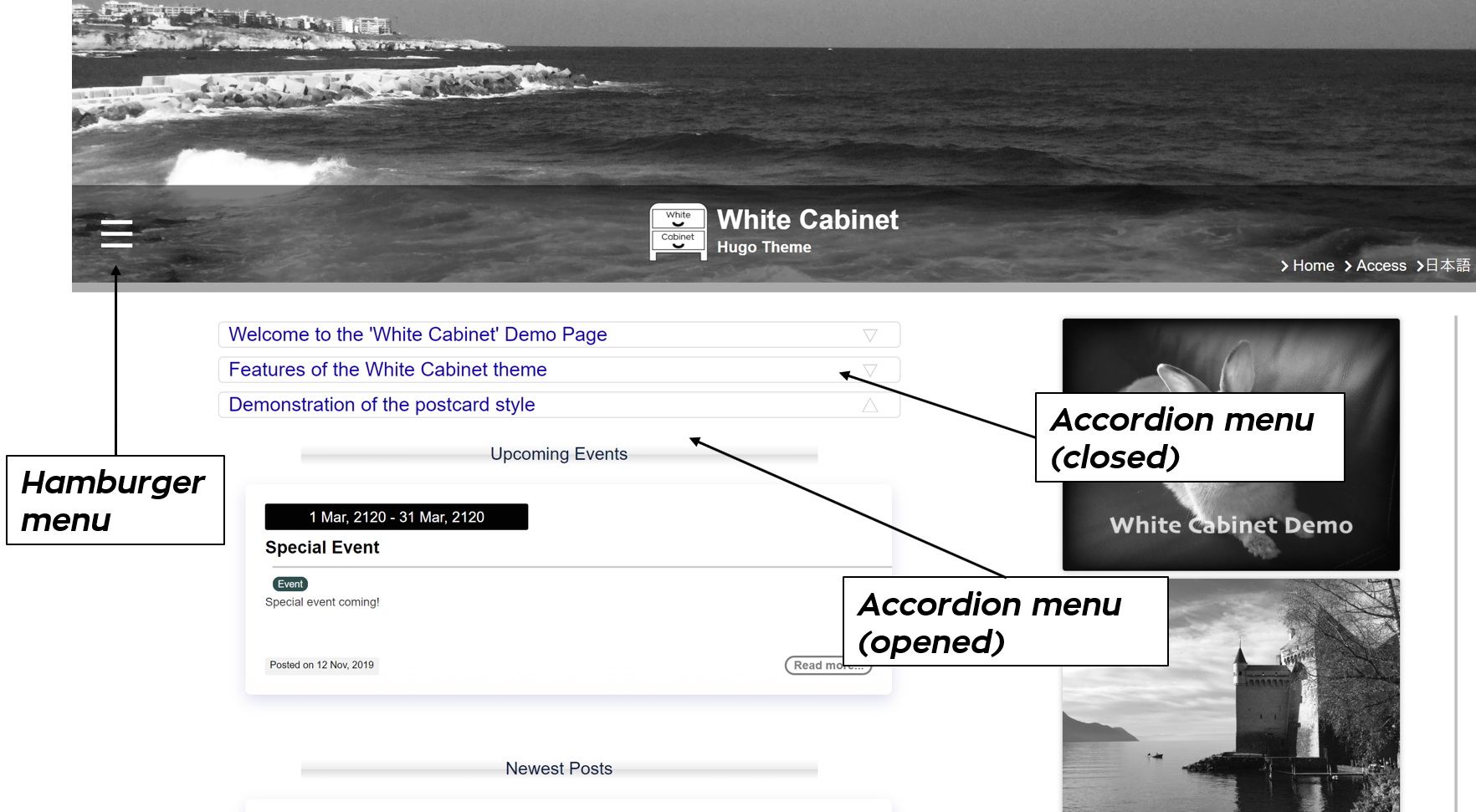
The contents of these menus are based on the menu entries defined in the config.toml and the directory structure under the content directory, where all the pages are located.
One advantage of this accordion menu is that you can choose whether you want to keep an accordion open or closed when the website is visited. This means, if you have five menu entries, and you want to make one of them stand out, you can keep the other four closed by default so that the visitors will see the contents of the single open accordion.
Also, newcomers can find the correct links and pages just by opening each accordion menu, which will be a lot faster than having to access every section page just to look for one piece of information.
Adding a new entry in the accordion menu
To add a new slot in the accordion menu, you need to add the corresponding menu.main block in the config.toml, and create the directory for that section. A detailed description is given in the Create a section page.
By default, the accordion menu will show the section page, or the _index.md in the base directory of the section. The only exception is for date-dependent contents.


